
Approve answers and export a buyer questionnaire
Draft an answer from the record, approve it for the buyer, and export the questionnaire as a verifiable file.
An answer only reaches the buyer once a person approves it. You draft each answer from the record, approve it, and export the questionnaire in the buyer's own layout with a verifiable Assurance Summary.
We follow the same example. Sam Taylor, Governance Lead at Northwind Analytics Ltd, is approving answers for the Customer Support Assistant on the questionnaire from Meadowbrook NHS Trust.
Before you start
- You are a Governance Lead, or the Accountable person for the AI system the questionnaire covers. Approving is limited to these people.
- The questions have been analysed and applicability decided (see Answer your first buyer questionnaire and Mark questions that don't apply to your AI system).
Steps
Open a question and see the draft
Open a question. Where the record answers it, you see Drafted from the record, with the fields it drew on. If a record match is suggested, select Confirm match first.
In the record nothing changes yet. A draft is a proposal, not an answer to the buyer.
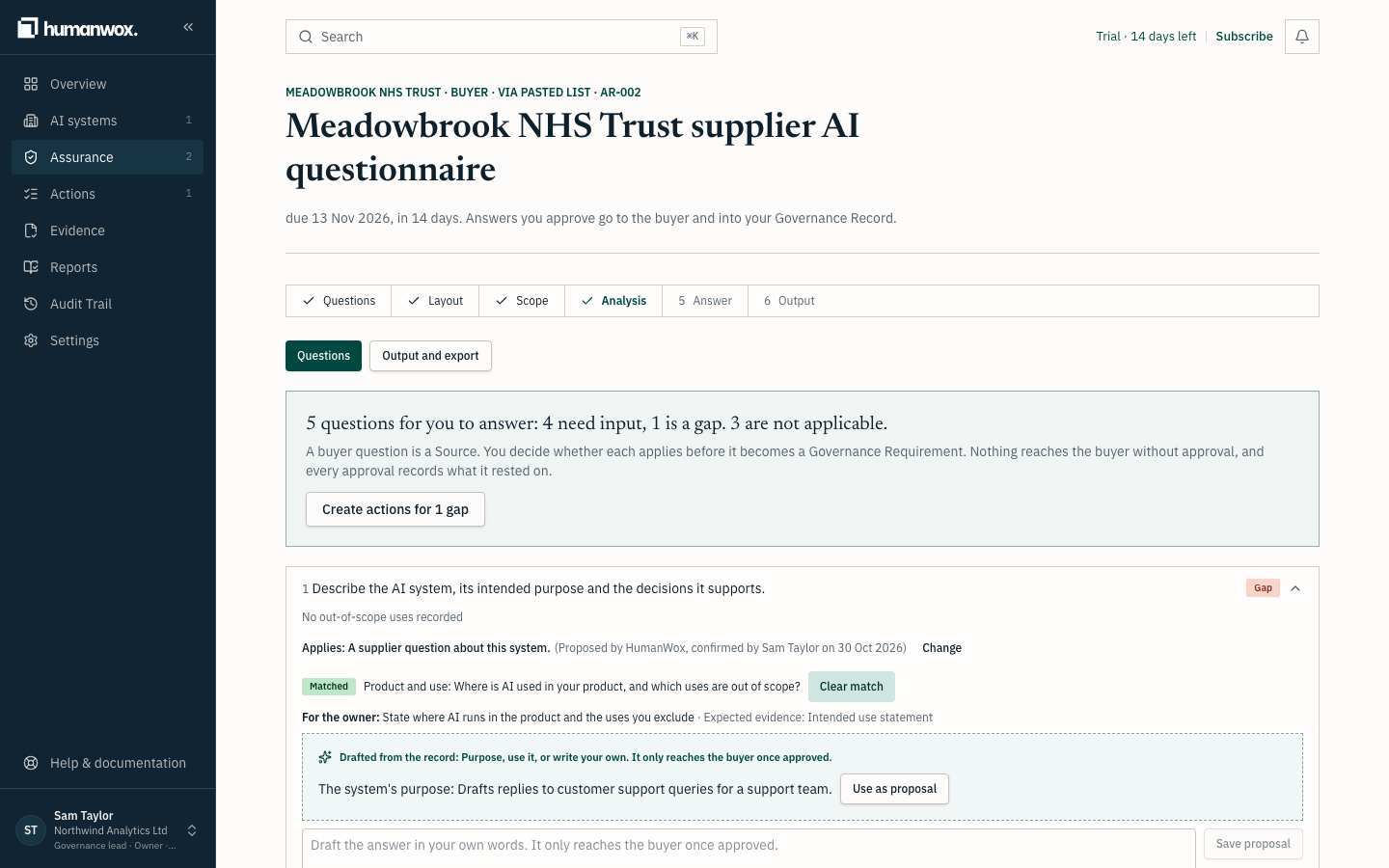
Use the draft as a proposal
Select Use as proposal, edit the wording if you want, then Save proposal.
You see the question marked as proposed, and by whom.
In the record the proposal is saved against the question. A proposal only reaches the buyer once it is approved.
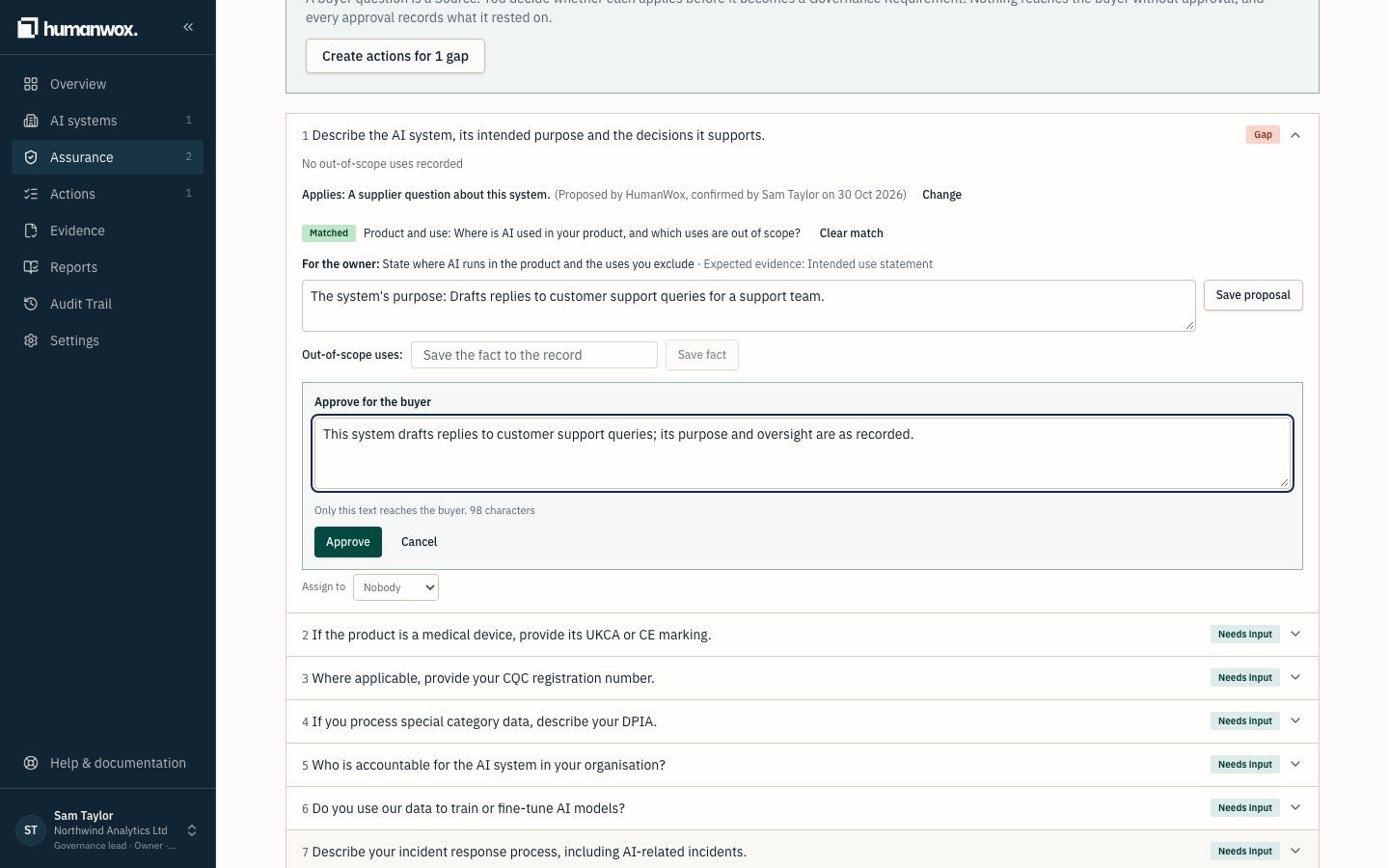
Approve for the buyer
Select Approve for the buyer. Under What this answer rests on, check the record items the answer cites, adjust the text so it fits the buyer's character limit, then select Approve.
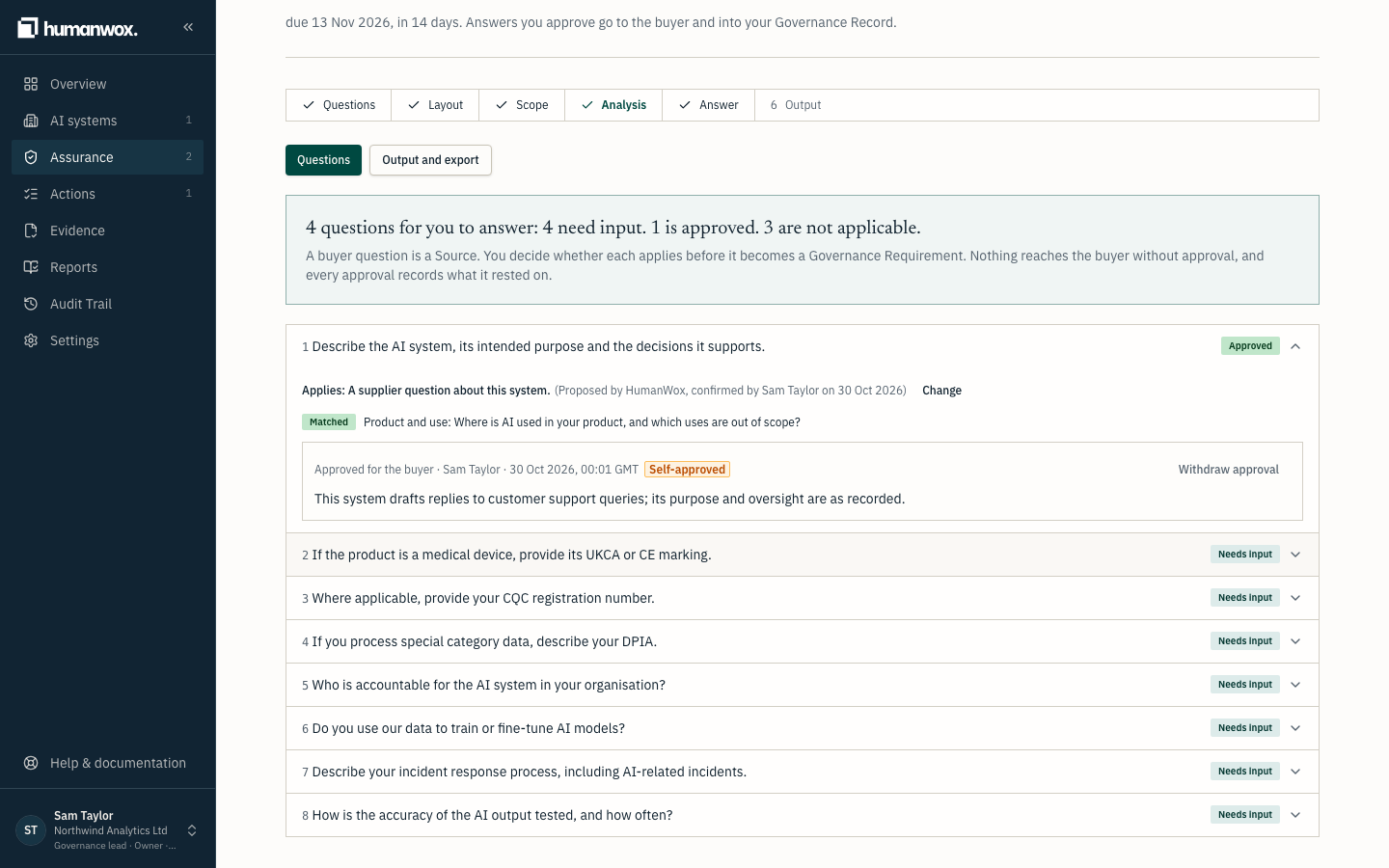
You see the question marked Approved for the buyer, with your name and the time.
In the record the answer is approved and fixed to the items it cites (see What approving an answer means below).
Warning
If you approve an answer you drafted yourself, it is marked Self-approved, and that is shown on the record. Where you can, let a second person approve.
Output and export
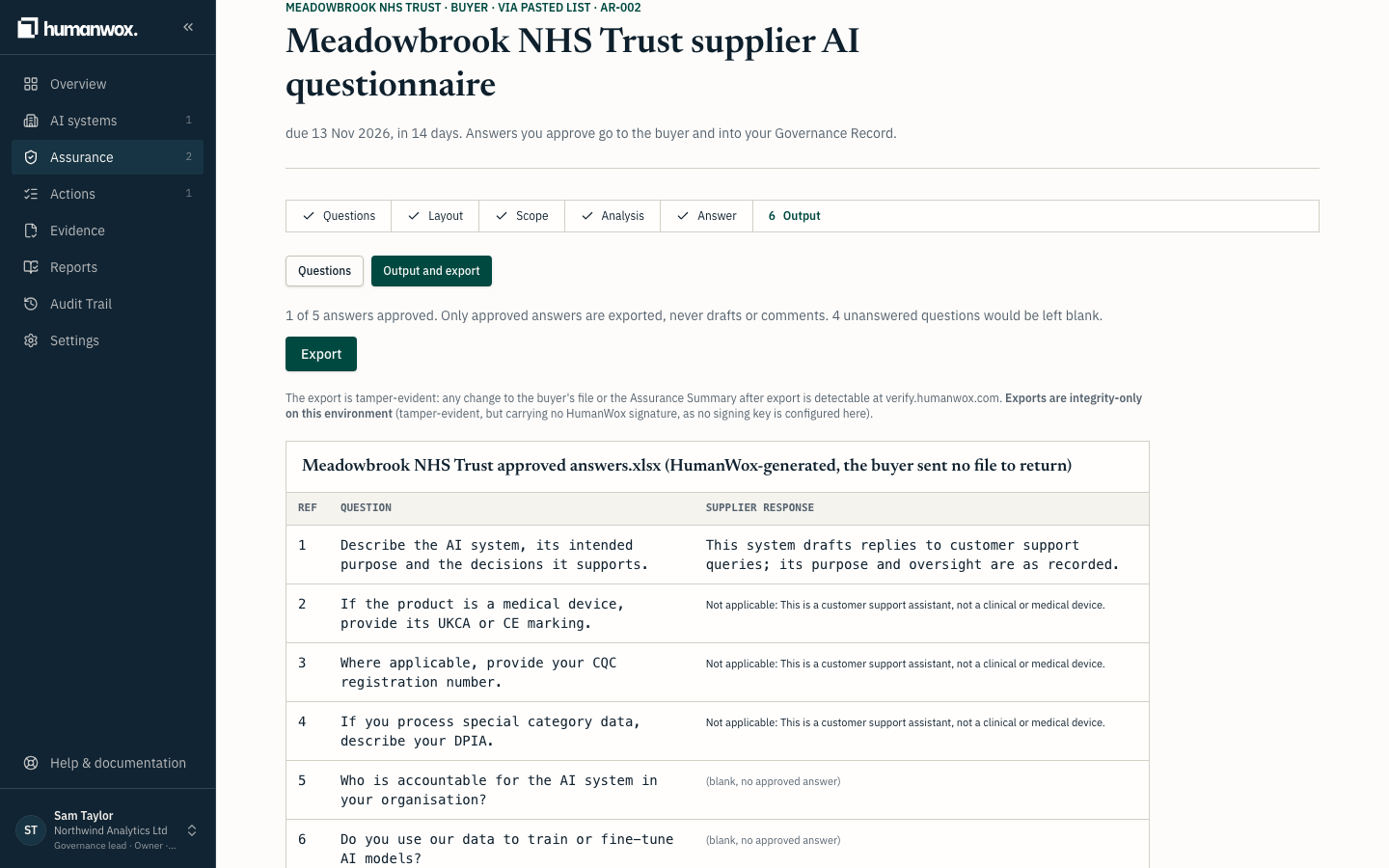
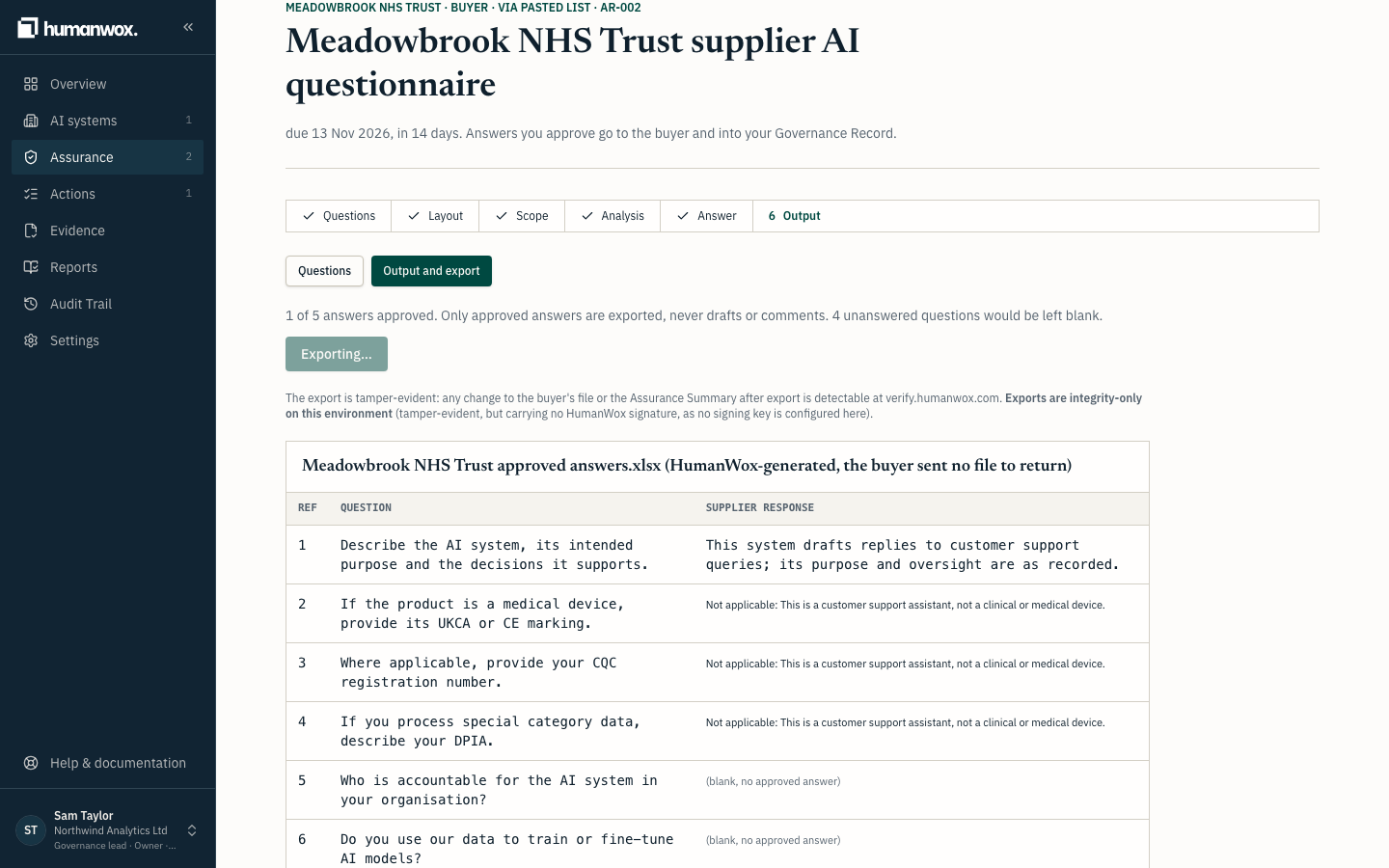
When enough answers are approved, select Output and export, then Export.
Note
Only approved answers are exported, never drafts or comments.
Pass the unanswered-questions guard
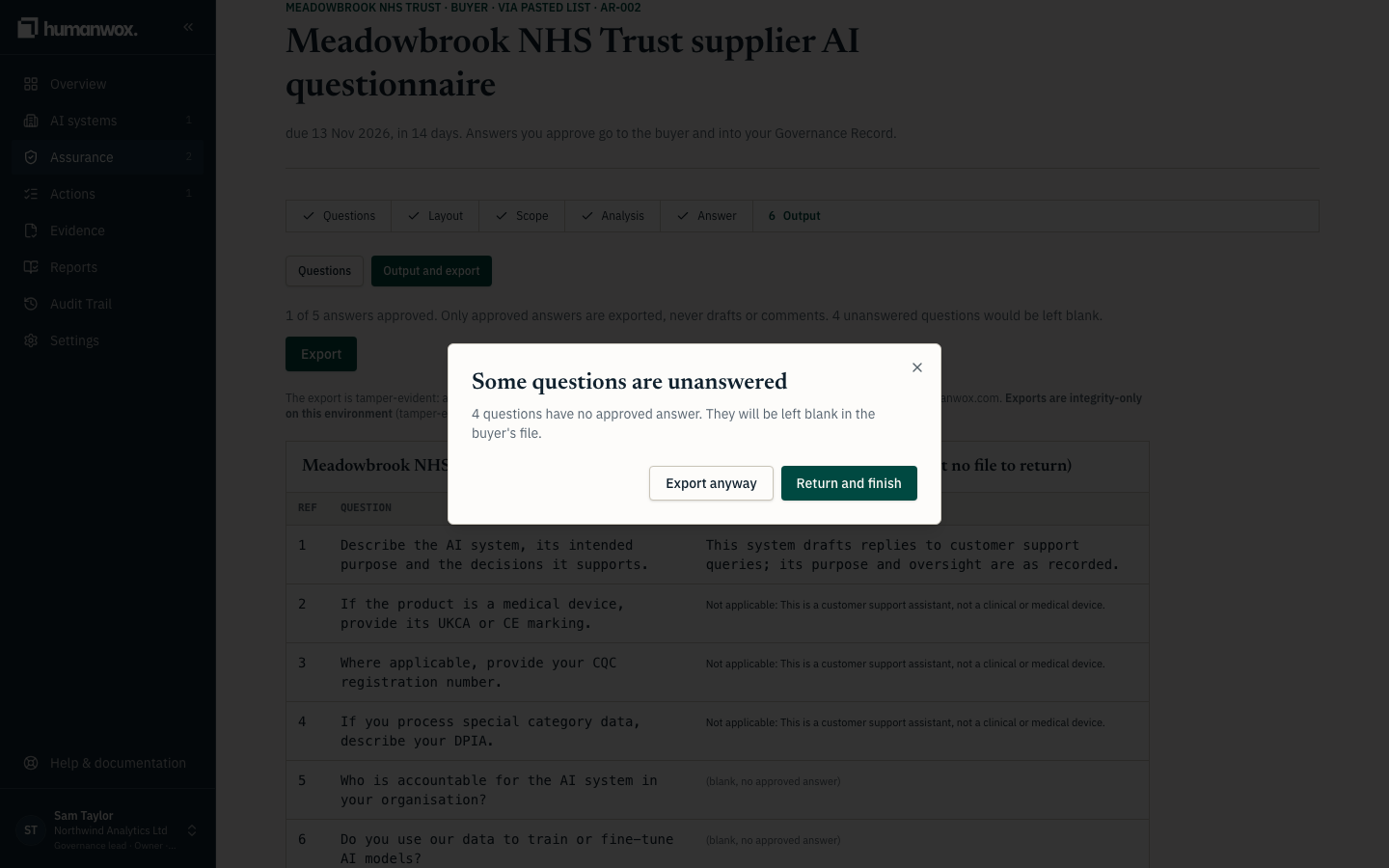
If some applicable questions still have no approved answer, you see Some questions are unanswered. Choose Export anyway to leave them blank, or Return and finish to go back.
You see confirmation that the export has been issued, with its reference and whether it is signed.
What approving an answer means
When you approve an answer, you confirm it is true of the record today. The answer is then fixed to the record items it rests on: the state of each cited item is frozen at approval and shown to the buyer in the Assurance Summary. If those items change later, the answer is flagged before export, so nothing goes out of date without you knowing. Approval is a person's judgement; the status that follows is derived by the product, never set by hand.
What you get
A file in the buyer's layout, with an Assurance Summary. Each Does not apply question reads Not applicable: followed by the reason. Any unanswered applicable question is left blank. Any change to the file or the Assurance Summary after export is detectable at verify.humanwox.com.
Where there is a signing key, the export is signed and timestamped. Where there is not, it is integrity-only: tamper-evident, but carrying no HumanWox signature.
Why it works this way
An approval vouches for the record as it was when approved. Only approved answers leave HumanWox, and the state of each cited item is frozen at approval and shown to the buyer, so the buyer sees the basis for every answer.
If something looks different
- Approve is disabled. Common causes: the answer has no text, it is over the buyer's character limit, a Yes or No answer does not open with Yes or No, or no option is chosen for a multiple-choice question. The button tells you which.
- "Changed since approval". The record behind an approved answer has changed since you approved it. Withdraw and re-approve the answer, or export with an acknowledgement, which is recorded in the audit trail and disclosed to the buyer.
- The export says integrity-only. This environment has no signing key. The file is still tamper-evident; it simply carries no signature.
Related guides
Mark questions that don't apply to your AI system
Record which questions do not apply to your AI system, with a reason, and confirm the ones that do, so nothing is counted as a gap by mistake.
Reuse an approved answer on another buyer questionnaire
Reuse an answer you have already approved on another buyer's questionnaire, and know when to check it again before you use it.