
Build the Governance Record for an AI system
Register an AI system and build its Governance Record: responsibilities, risks, controls and tests, evidence, requirements and decisions.
Build the Governance Record for an AI system, so your buyer answers and your frameworks have something true to draw on.
We follow one example throughout. Northwind Analytics Ltd runs an AI system called the Customer Support Assistant. Sam Taylor, Northwind's Governance Lead, is building its record.
Before you start
- You are a Governance Lead or a Member.
- You know what the system does and who it affects.
Steps
Register the system
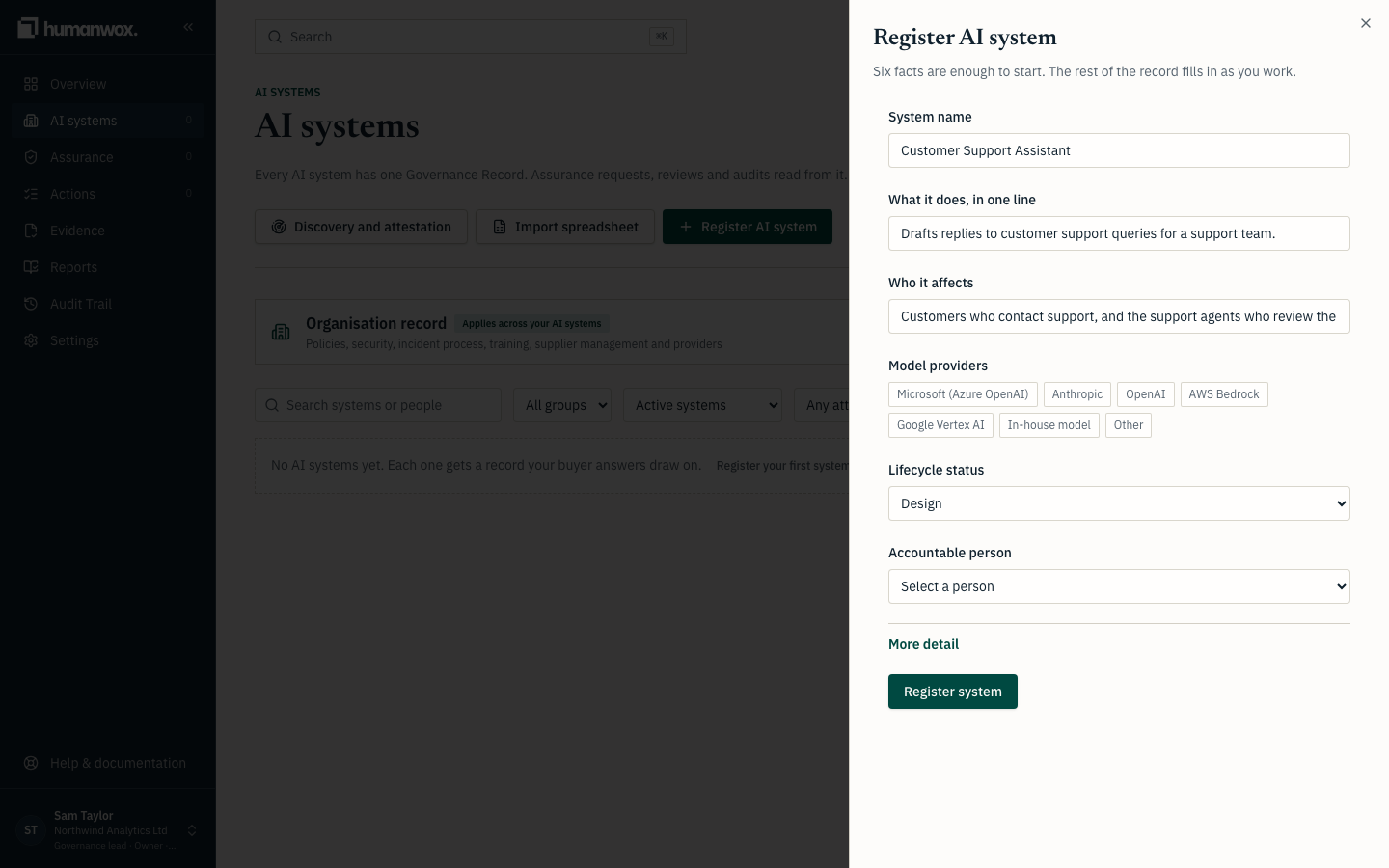
From Getting started or the AI systems page, register a new system. Give its Name, what it does, who it affects, and its model providers, then select Register system.
You see the new system's record open.
In the record the system is created with its name, purpose, affected people and providers. Its type, autonomy and risk are not set at registration; they stay Not assessed until someone classifies the system, which is why a new system raises an Assess and classify Governance Action (see Work through your Governance Actions).
Open the record
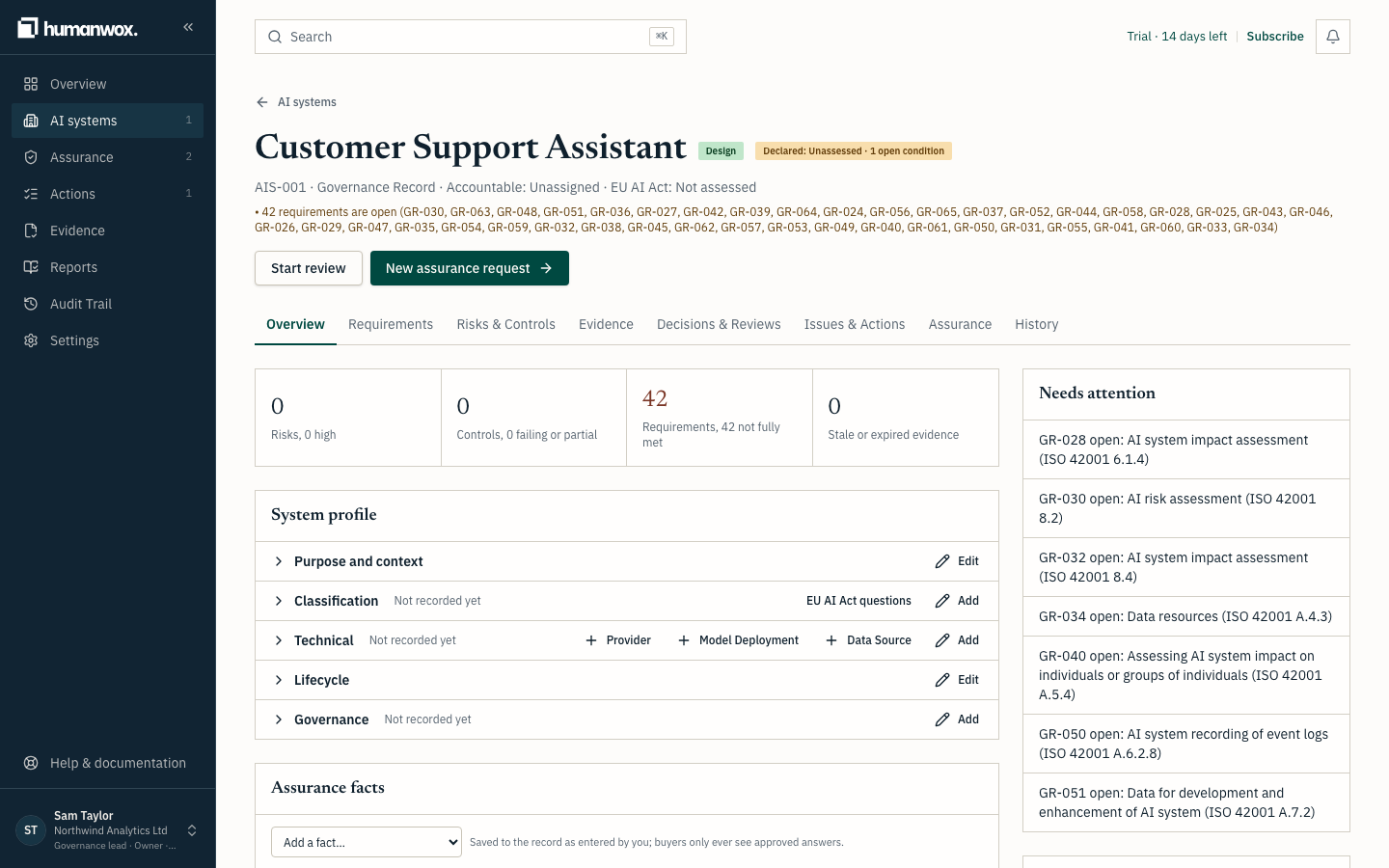
The record has tabs: Overview, Requirements, Risks & Controls, Evidence, Decisions & Reviews, Issues & Actions, Agents & tools, Assurance and History.
You see the Overview, with the system's profile and the people responsible for it.
Set the responsibilities
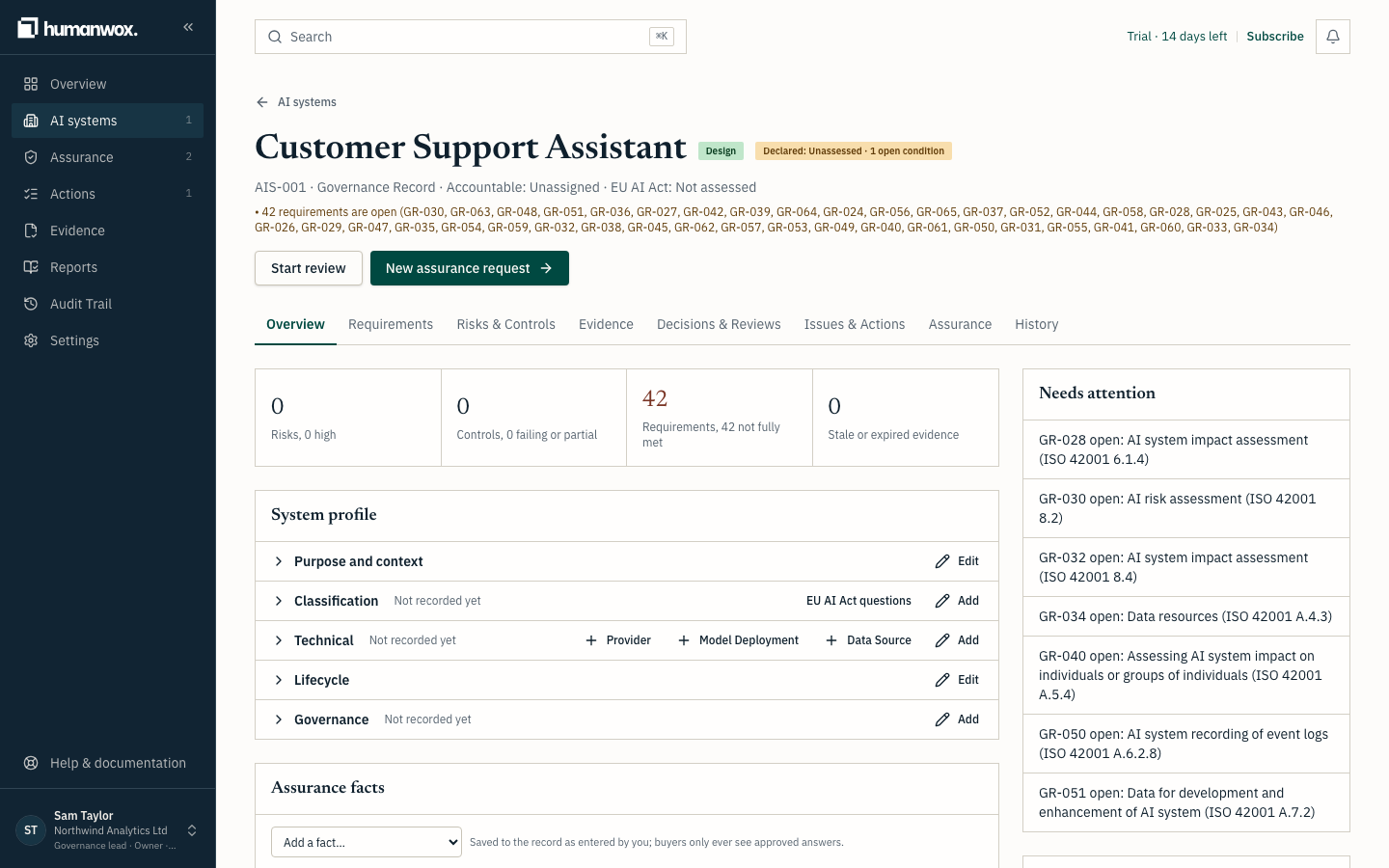
Record who is Accountable and who is Responsible for the system. One person is Accountable.
You see the responsibilities on the record, with each person's name against their role.
In the record the Accountable person is now able to approve answers and evidence for this system, and for a system linked to it.
Record risks, controls and tests
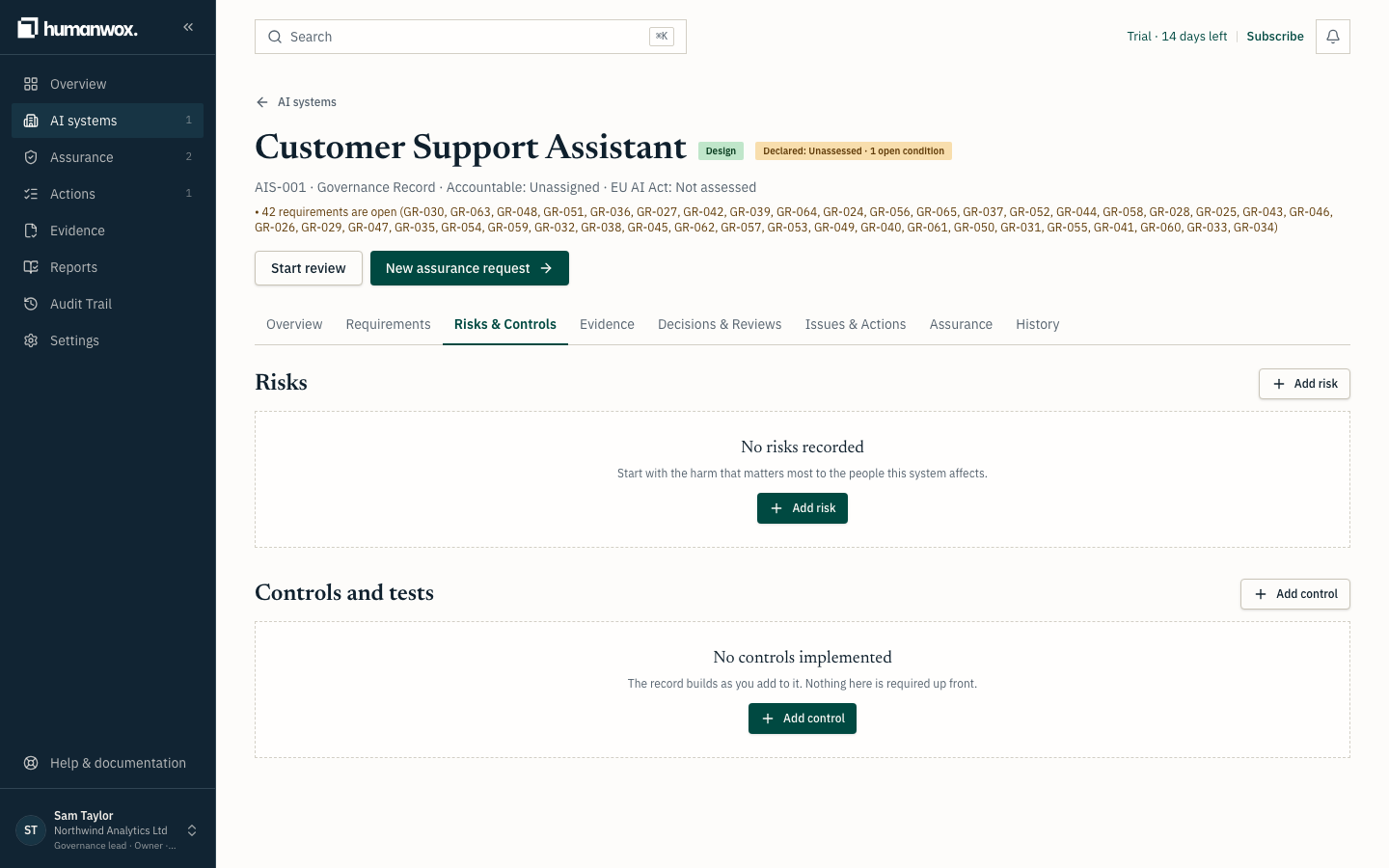
On Risks & Controls, add the risks the system carries and the controls that address each one. Record a control test with its date and outcome, so you can show a control is working and when it was last checked.
You see each risk with the controls linked to it, and each control with its latest test.
In the record the risks, controls and tests are kept with their dates, ready to be cited in a buyer answer or against a Governance Requirement.
Attach evidence
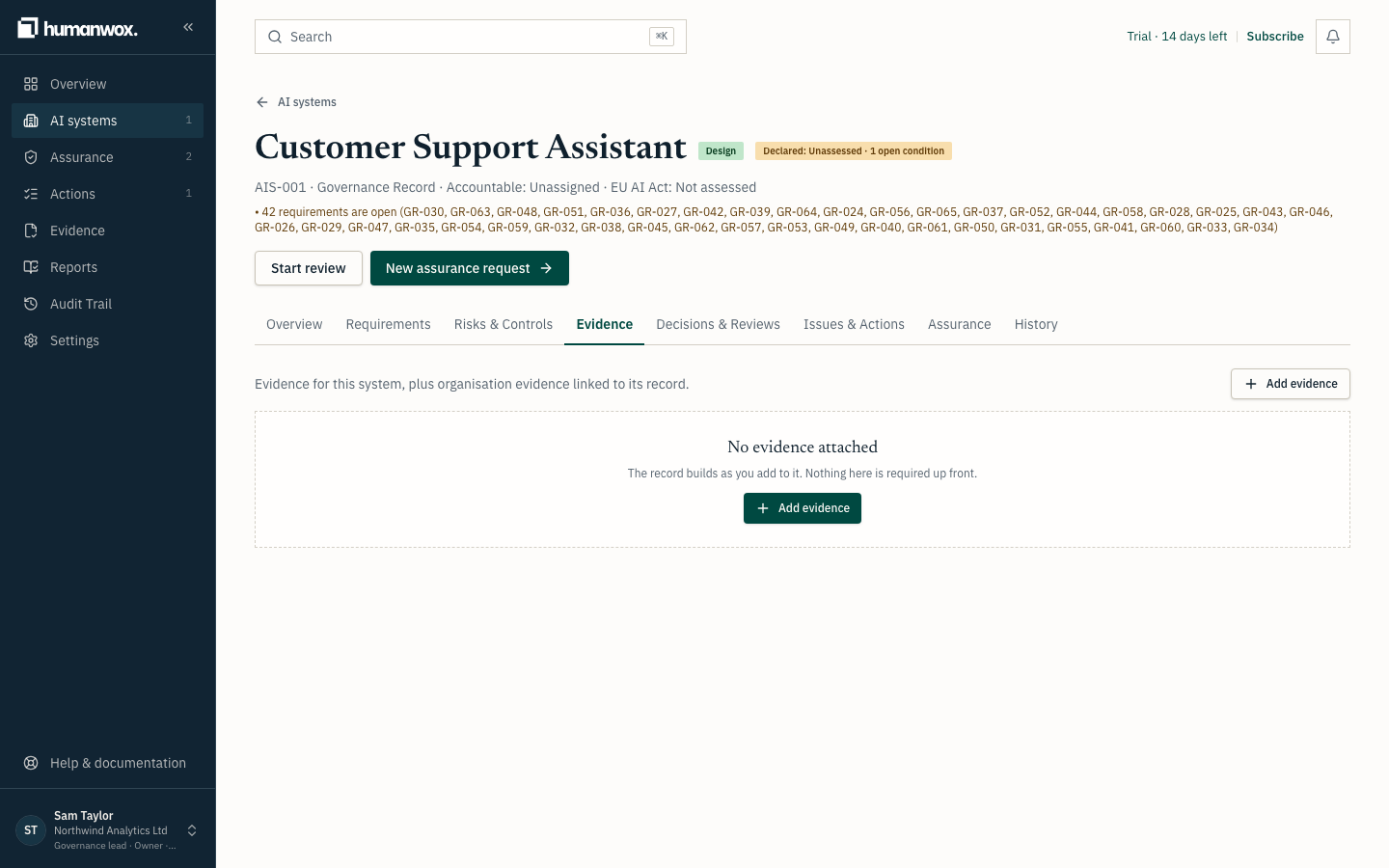
On Evidence, add the policies, test results and reports that back up your controls and your answers.
You see each file listed with its validity: current, due for renewal, or expired.
In the record an uploaded file is fingerprinted, so any later change to a version is detectable. Evidence is withdrawn or superseded, never quietly rewritten.
Record requirements and decisions
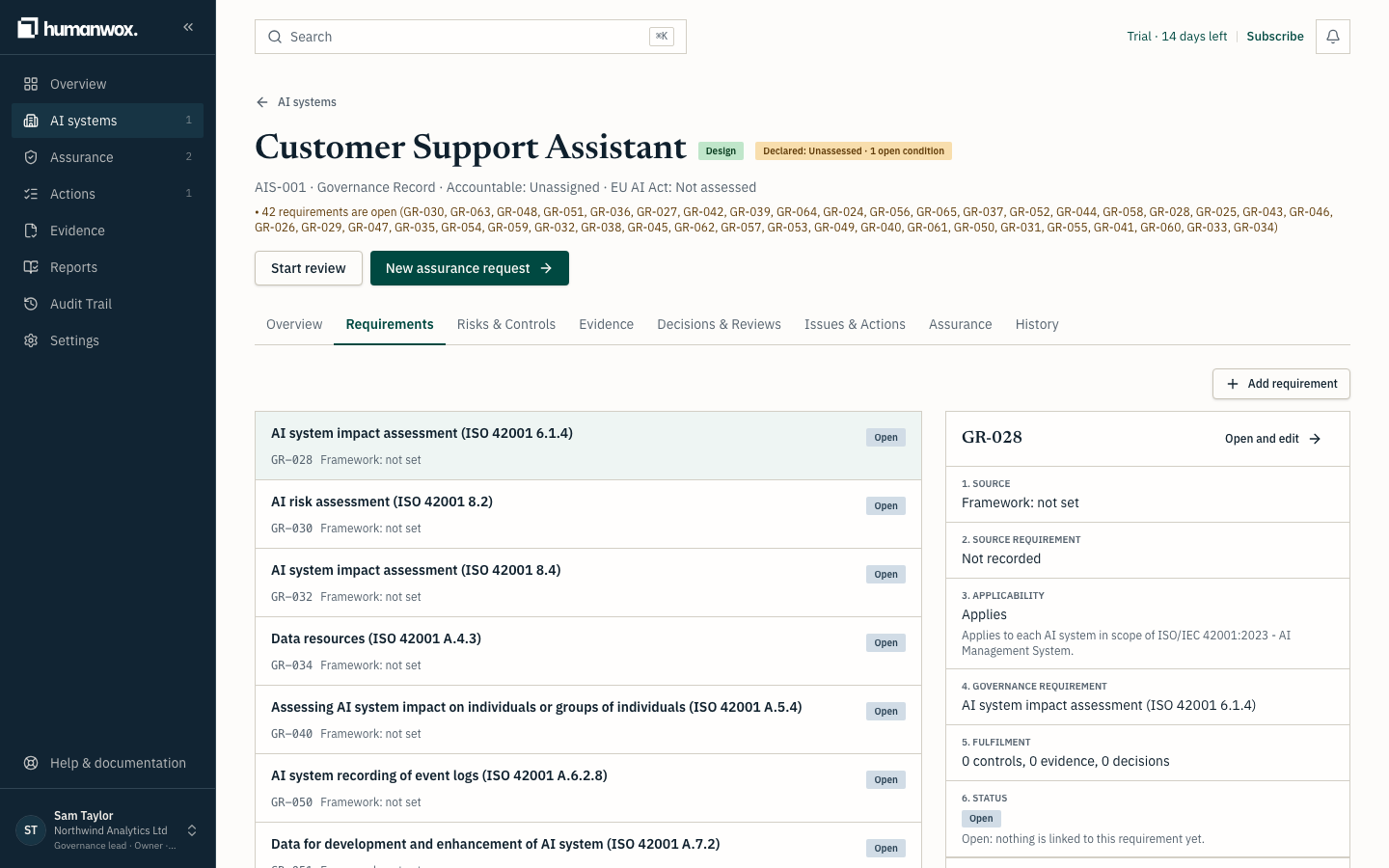
On Requirements, see the Governance Requirements for this system and whether the record shows each is met. On Decisions & Reviews, record a governance decision and the reasoning behind it.
You see each Governance Requirement with its derived status, worked out by the product from the record.
In the record decisions and reviews are kept with who made them and when.
Note
A Governance Requirement records what must or should be addressed. An Obligation is a Governance Requirement with obligatory force. A Governance Action is the work required to respond. They are three different things, and the record keeps them apart.
Why it works this way
Facts describe what is true about your AI systems. Frameworks and buyer questionnaires cite the record; they do not define it. Corrections are new records, so the history is kept and the status is always derived from what is true today.
If something looks different
- There is no model field at registration. A specific model is recorded later on the record. The system shows Not assessed for its type and risk until you classify it, and a Governance Action asks you to Assess and classify it.
- You cannot approve evidence. Evidence approval needs a Governance Lead, or the Accountable person of a linked system.
Related guides
Reuse an approved answer on another buyer questionnaire
Reuse an answer you have already approved on another buyer's questionnaire, and know when to check it again before you use it.
Decide which framework clauses apply to your AI systems
Activate a framework and decide which of its clauses apply to your organisation and to each AI system, so your record holds only the requirements you have confirmed.