
Decide which framework clauses apply to your AI systems
Activate a framework and decide which of its clauses apply to your organisation and to each AI system, so your record holds only the requirements you have confirmed.
Activate a framework and decide which of its clauses apply to your organisation and to each AI system. Your record then holds only the Governance Requirements you have confirmed.
We follow one example. At Northwind Analytics Ltd, Governance Lead Sam Taylor is activating ISO/IEC 42001 and deciding which clauses apply to the Customer Support Assistant.
Before you start
- You are a Governance Lead. Only a Governance Lead activates frameworks and decides applicability.
- You have at least one AI system registered (see Build the Governance Record for an AI system).
Steps
Open Frameworks in Settings
Go to Settings, then Frameworks.
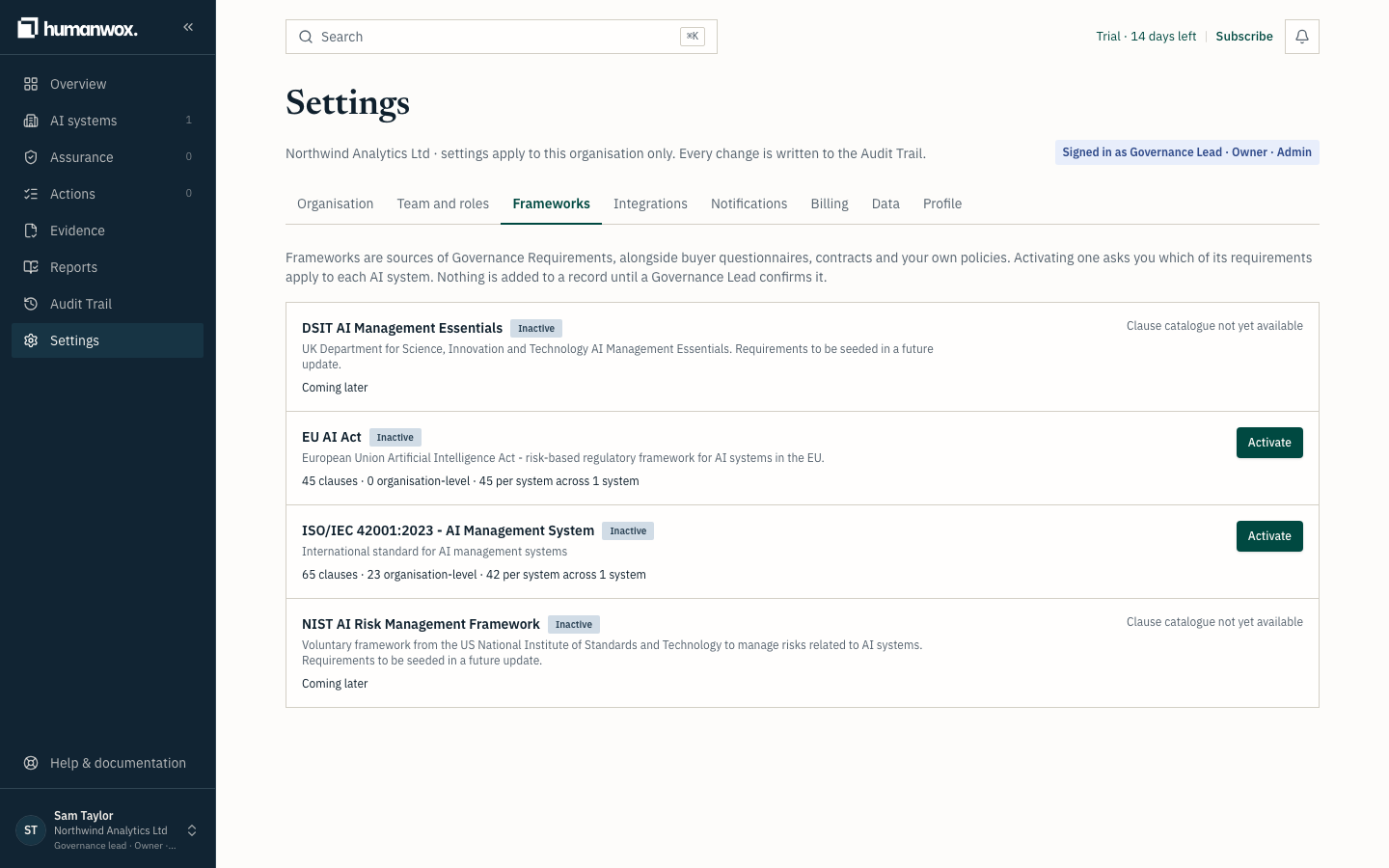
You see the explanation: "Frameworks are sources of Governance Requirements, alongside buyer questionnaires, contracts and your own policies. Activating one asks you which of its requirements apply to each AI system. Nothing is added to a record until a Governance Lead confirms it."
ISO/IEC 42001 and the EU AI Act can be activated. NIST AI RMF and DSIT AIME show Clause catalogue not yet available.
Activate a framework
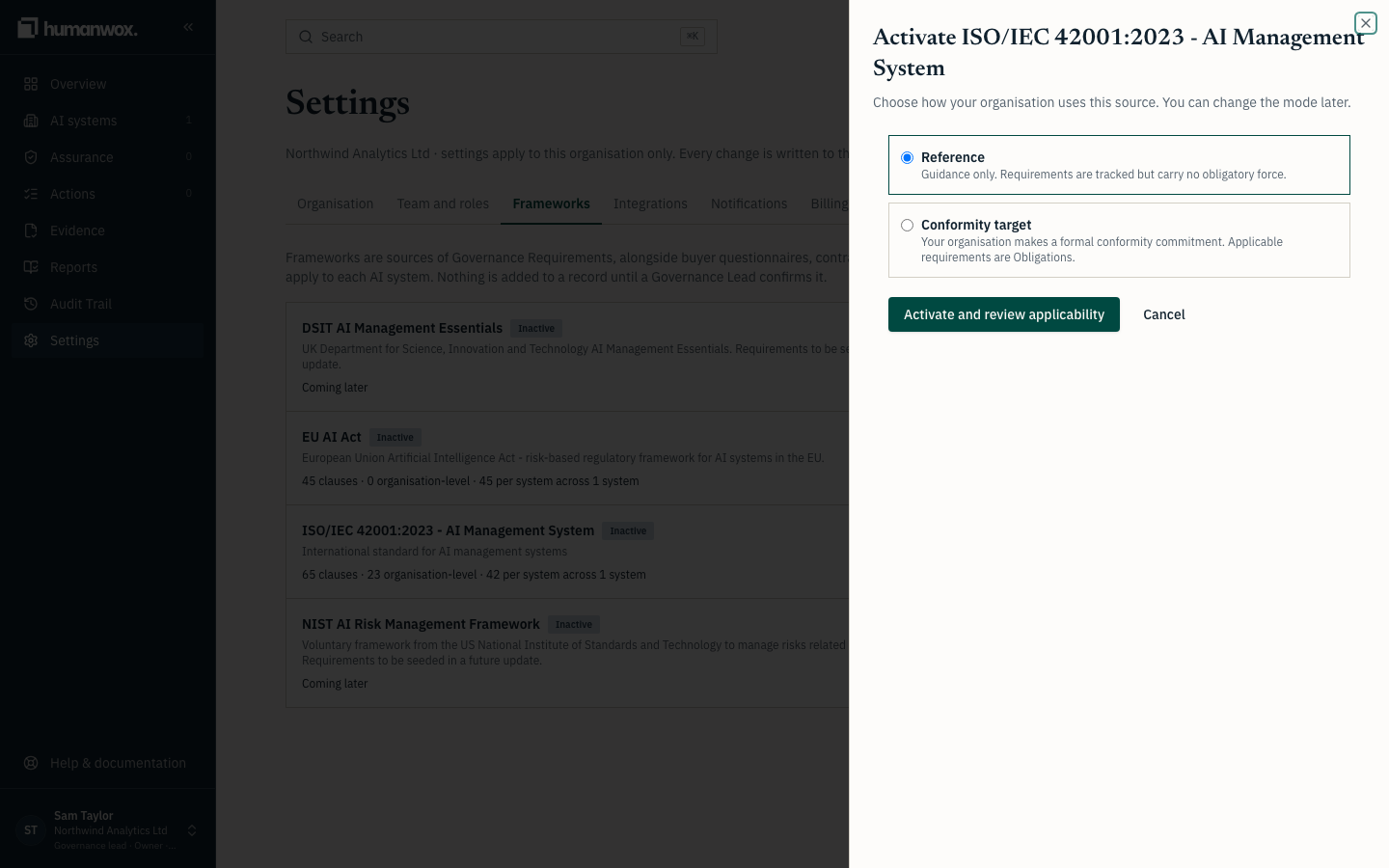
On ISO/IEC 42001, select Activate, then Activate and review applicability.
You see the applicability review open.
In the record the framework is marked active. No Governance Requirement is added yet.
Review applicability
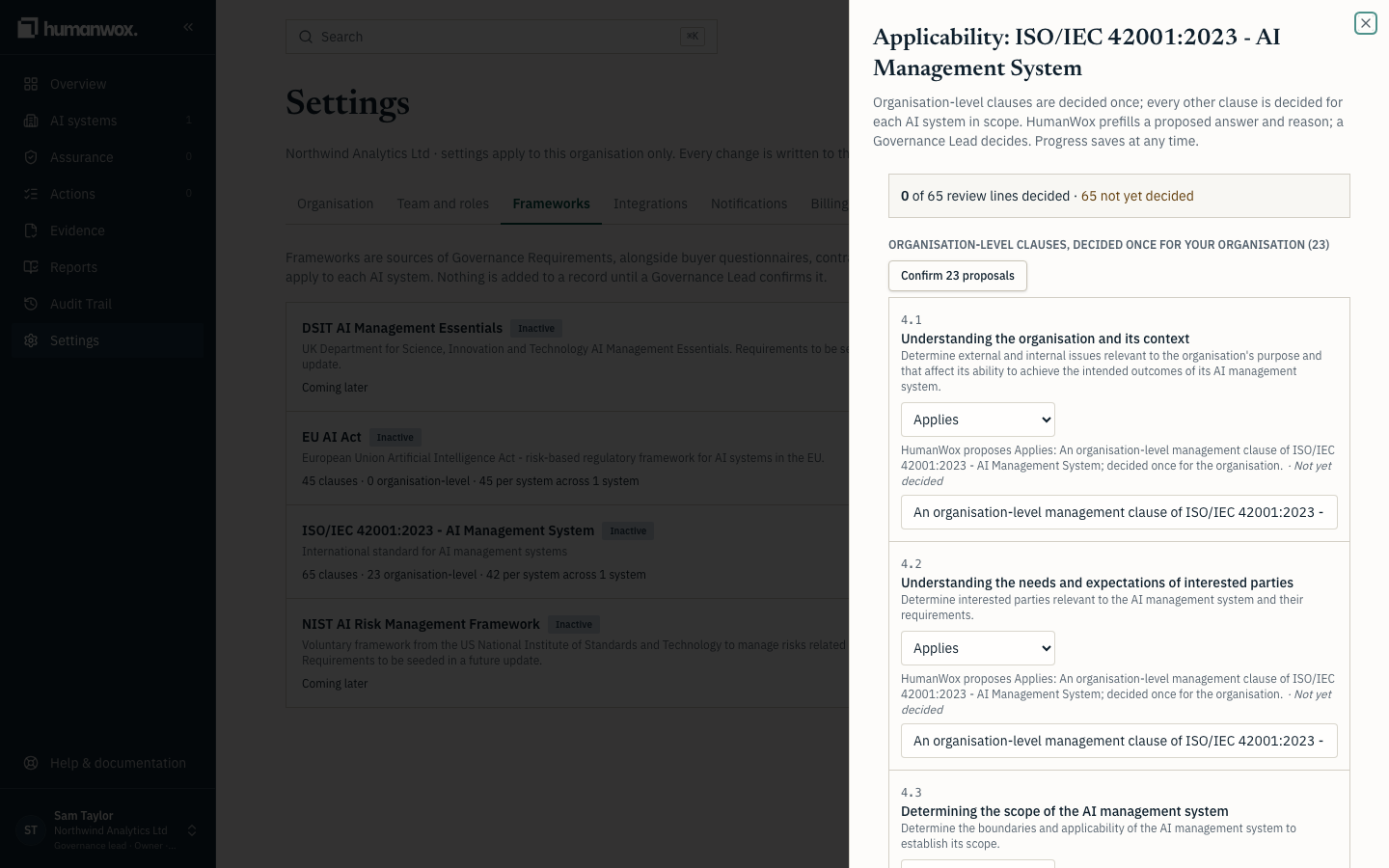
The review lists the clauses. Some are decided once at the organisation level, and some are decided per system. Where HumanWox proposes which apply, select Confirm N proposals for the organisation-level group, and Confirm N proposals for a system for each system.
You see each clause with HumanWox's proposal, grouped by organisation level and by system.
In the record nothing changes until you save; confirming a proposal only stages your decision.
Save your decisions
Select Save N decisions.
You see the review close and the framework row update.
In the record a Governance Requirement is created for each clause you decided applies, each shown with its clause reference. A conditional requirement applies only under its stated condition.
See the counts
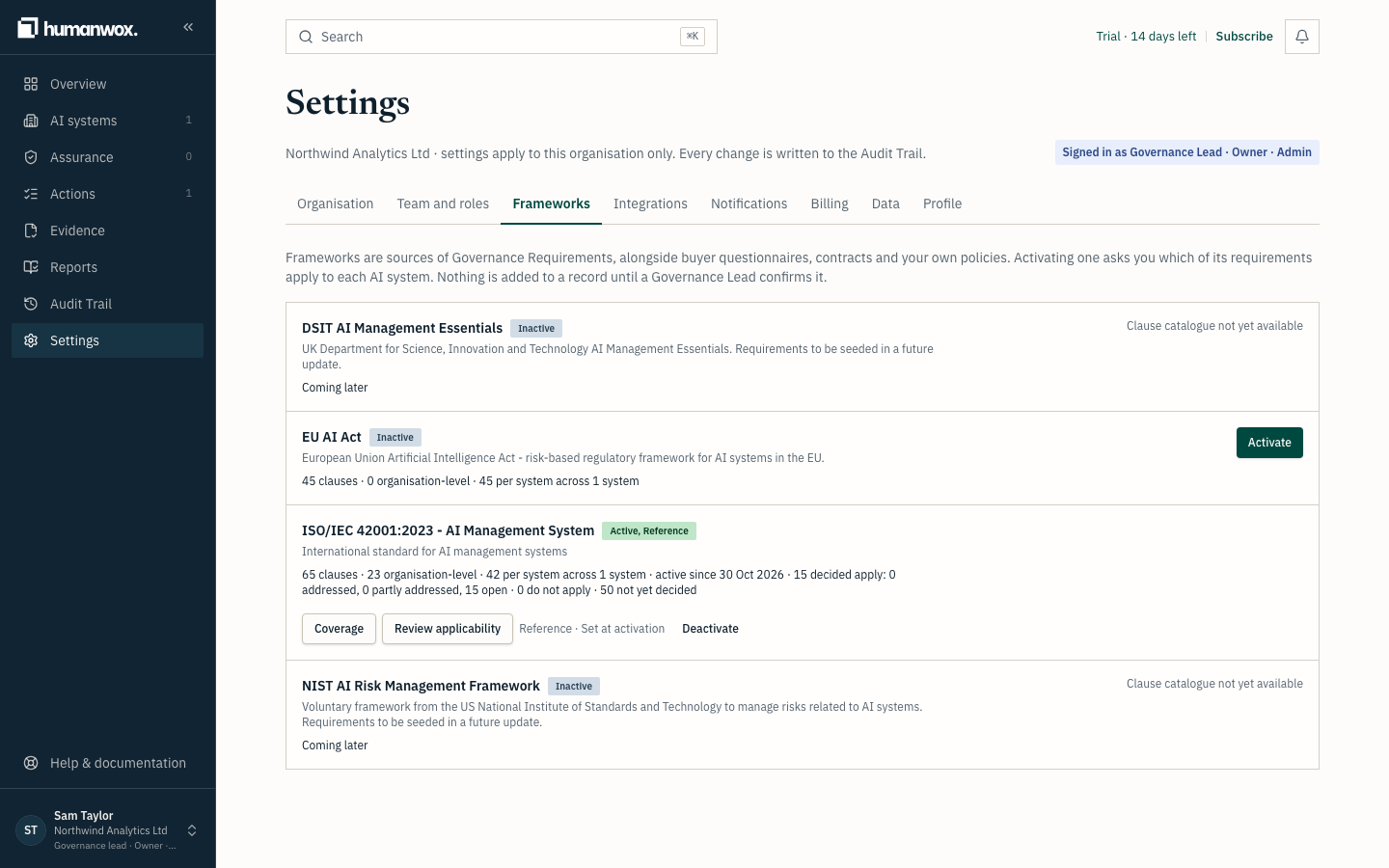
Go back to Settings, then Frameworks. The framework row shows how many requirements are applicable, covered, partly covered and gaps.
You see the counts for the framework.
In the record these counts are derived from the requirements and the record behind them, so they match the Governance Requirements status report and the Audit Evidence Pack.
Note
A framework is a source of Governance Requirements, not the record itself. The record comes first, and a framework cites it. Nothing is added until a Governance Lead confirms it.
Why it works this way
The record comes first, and a framework cites it. Nothing is added to a record until a Governance Lead confirms it, so your record holds only the requirements you have decided apply. Each requirement's status is derived by the product from the record, never set by hand.
If something looks different
- A framework cannot be activated. Its clause catalogue is not yet available. This applies to NIST AI RMF and DSIT AIME.
- You cannot activate a framework or decide applicability. Only a Governance Lead can. See Manage your organisation profile, team and security.
Related guides
Build the Governance Record for an AI system
Register an AI system and build its Governance Record: responsibilities, risks, controls and tests, evidence, requirements and decisions.
Work through your Governance Actions
Where Governance Actions come from, how to work through them, the ways to dismiss one, and why some come back.