
Reuse an approved answer on another buyer questionnaire
Reuse an answer you have already approved on another buyer's questionnaire, and know when to check it again before you use it.
Once you have approved an answer for one buyer, HumanWox offers it again when another buyer asks the same thing about the same AI system. You review it and approve it again for the new buyer, so the record stays honest and the work is quicker.
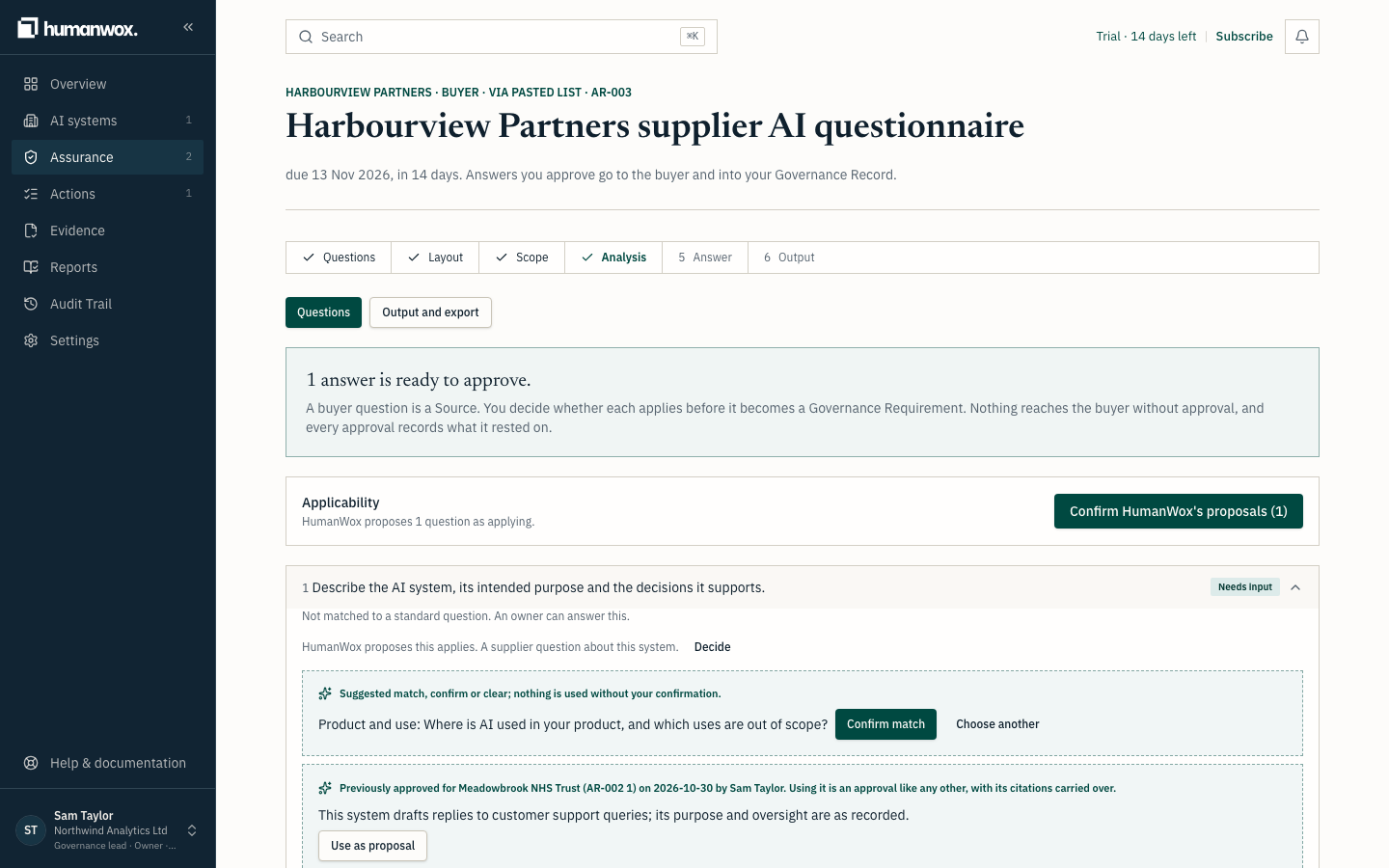
In our example, Northwind Analytics Ltd has already approved an answer about the Customer Support Assistant for Meadowbrook NHS Trust. A new buyer, Harbourview Partners, now asks the same question.
Before you start
- You are a Governance Lead or a Member.
- You have at least one approved answer for the AI system (see Approve answers and export a buyer questionnaire).
- You are starting a new request on the same AI system with a matching question.
Steps
Start the new request and analyse
Create the new buyer request for Harbourview Partners, add the questions, choose the same AI system, and select Analyse questions (see Answer your first buyer questionnaire).
In the record a new request is created. Nothing is reused automatically; reuse is offered for you to approve.
Open the matching question
Where you have answered the same question before, you see Previously approved for the earlier buyer, with the date and who approved it.
You see the earlier answer offered, labelled with the buyer it was approved for.
Use it as a proposal and approve again
Select Use as proposal, review the wording, and approve it on this request as usual. Citations are carried across where they are in scope for this AI system.
In the record a fresh approval is recorded for the new buyer. Approval always happens again; an earlier approval is never sent to a new buyer on its own.
Check the answer before you reuse it
Warning
The earlier buyer may be named in the answer. If the answer mentions the earlier buyer by name, HumanWox warns you, because naming one buyer to another can confuse them. Edit the text before you approve.
Note
An answer may need reconfirming. If the record the answer rested on has changed since it was approved, the answer is shown for reference and marked as needing reconfirming. Check it against the current record before you use it. You can still choose Use as proposal anyway, and approve it afresh.
Some citations may not be carried over. If a cited item belongs to another AI system, it is left behind and HumanWox tells you, so the new answer only rests on items in scope for this system.
Why it works this way
Approved work is reused so the next request is quicker. Approval always happens again on the new request, and an answer whose basis has changed is flagged rather than trusted without a check.
If something looks different
- No reuse is offered. There is no approved answer for a matching question on this AI system yet. Approve one first (see Approve answers and export a buyer questionnaire).
Related guides
Approve answers and export a buyer questionnaire
Draft an answer from the record, approve it for the buyer, and export the questionnaire as a verifiable file.
Build the Governance Record for an AI system
Register an AI system and build its Governance Record: responsibilities, risks, controls and tests, evidence, requirements and decisions.