
Work through your Governance Actions
Where Governance Actions come from, how to work through them, the ways to dismiss one, and why some come back.
A Governance Action is the work required to respond to something in your record: a requirement, a schedule, an event, an issue, a review or a decision. This guide shows how to work through them.
We follow one example. At Northwind Analytics Ltd, Sam Taylor is clearing the Governance Actions for the Customer Support Assistant.
Before you start
- You are a Governance Lead or a Member.
- Actions are assigned to the Responsible and the Accountable people for the record they concern.
Where actions come from
Governance Actions are generated from your systems and the frameworks you have activated, and your team can also create them. For example:
- Assess and classify a system, when its type and risk are not yet set.
- Re-assess a system after a stack change.
- Untreated risk on a production system.
- Overdue review for a system, a risk, a control or a decision.
- Expired evidence, or an overdue control test.
Steps
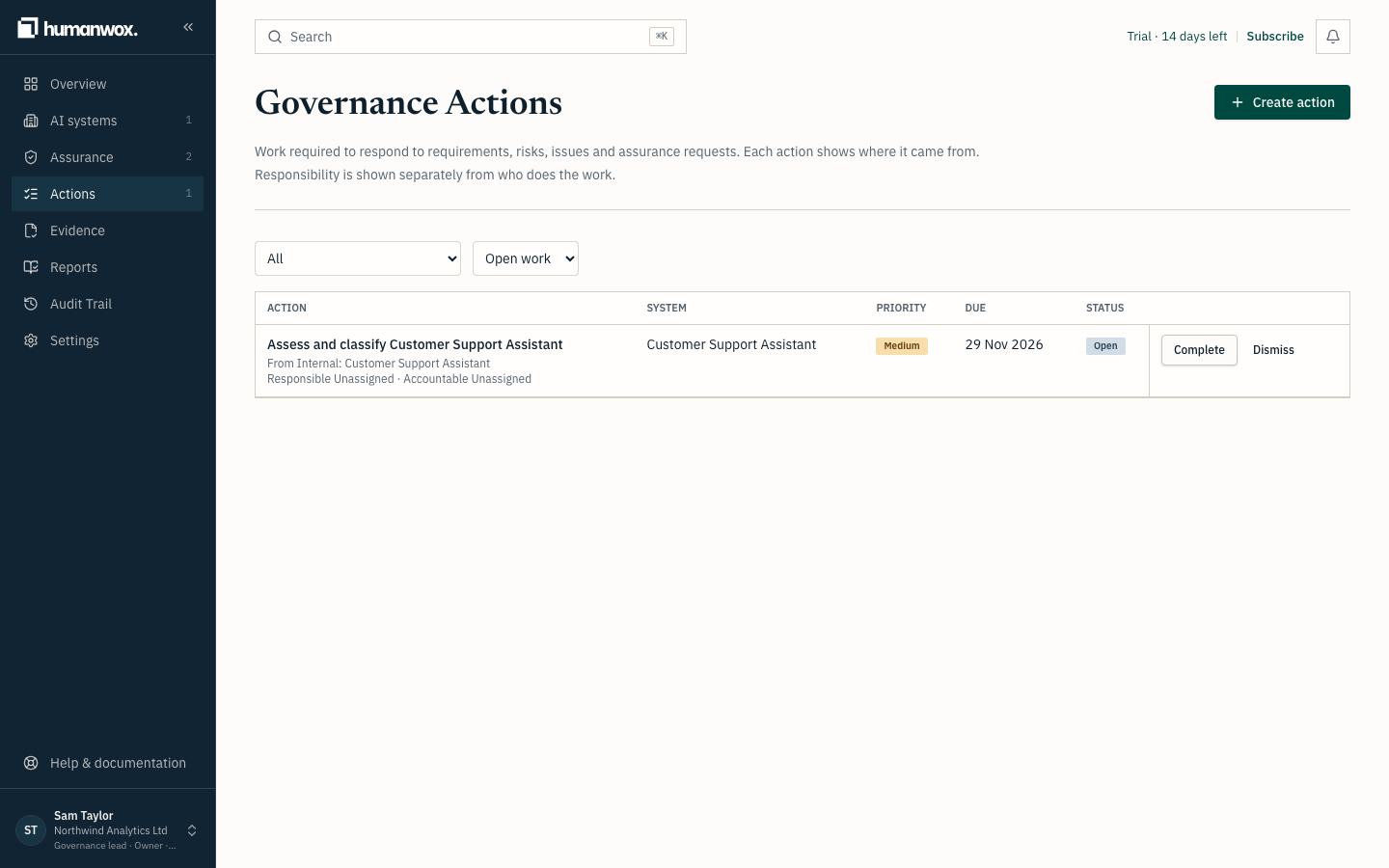
Open Actions
Open the Actions page.
You see the work to do, each action with a title, an owner, a due date and a status. Overdue actions are flagged.
Open the record an action concerns
Select an action to open the record it is about, for example a piece of evidence, a risk or a control. Seeing the record helps you decide whether to do the work or dismiss the action.
You see the record the action points to.
In the record nothing changes until you do the work or dismiss the action.
Do the work, or dismiss it
Complete the work the action asks for, or dismiss it with one of the reasons below.
In the record completing or dismissing an action is dated and attributed, and the action's status is derived from the cause behind it, not set by hand.
How to dismiss an action
| Reason | What it does |
|---|---|
| Duplicate | Choose another open action this one duplicates. The action you keep takes the earlier due date. |
| Not the right response | Write why. If the underlying cause is still open, the action is raised again straight away. |
| Accept as a decision | Only the Accountable person can accept. Give a rationale and a review date, up to twelve months. This records a Decision and stops the action coming back until the review date. |
Warning
"Accept as a decision" does not fix the cause. It records that you have accepted it for now, with a review date. If the cause gets worse before then, the acceptance ends early and the action returns.
Why some actions reappear
An action belongs to its cause, not to the moment you closed it. If you complete an action, or dismiss it as not the right response, while the cause is still open, it comes back with the same clock, so it is overdue exactly as it was before. An accepted action stays away until its review date, unless its cause gets worse.
Why it works this way
A Governance Requirement records what must or should be addressed. A Governance Action is the work required to respond to it. They are distinct, and an action stays until the cause is addressed or a decision is recorded to accept it, so nothing quietly drops off the list.
If something looks different
- An action you dismissed is back. Its cause is still open. Address the cause, or, if you are the Accountable person, accept it as a decision.
- You cannot accept an action. Only the Accountable person for the record can accept.
Related guides
Decide which framework clauses apply to your AI systems
Activate a framework and decide which of its clauses apply to your organisation and to each AI system, so your record holds only the requirements you have confirmed.
Produce reports and verify an exported bundle
Produce the reports your board, auditor or buyer needs, including the Audit Evidence Pack, and let a recipient check that an exported bundle has not changed.