
Mark questions that don't apply to your AI system
Record which questions do not apply to your AI system, with a reason, and confirm the ones that do, so nothing is counted as a gap by mistake.
Some buyer questions only apply under a condition, for example if your product is a medical device. You decide which of those apply to your AI system, and which do not, before anything is counted.
We follow the same example throughout. Northwind Analytics Ltd is answering a questionnaire from Meadowbrook NHS Trust about its Customer Support Assistant. A few questions are about clinical or medical use that does not apply to a support assistant.
Before you start
- You are a Governance Lead, or the Accountable person for the AI system the questionnaire covers.
- The questionnaire has been analysed (see Answer your first buyer questionnaire).
Steps
Find the questions that need a decision
After analysis, conditional questions, for example "If the product is a medical device..." or "Where applicable...", show Needs a decision rather than Gap. Open one.
You see the question ask Does this apply to your system.
In the record nothing has changed yet. A conditional question is held as needing a decision, and is not counted as a gap or as needing input until you decide it.
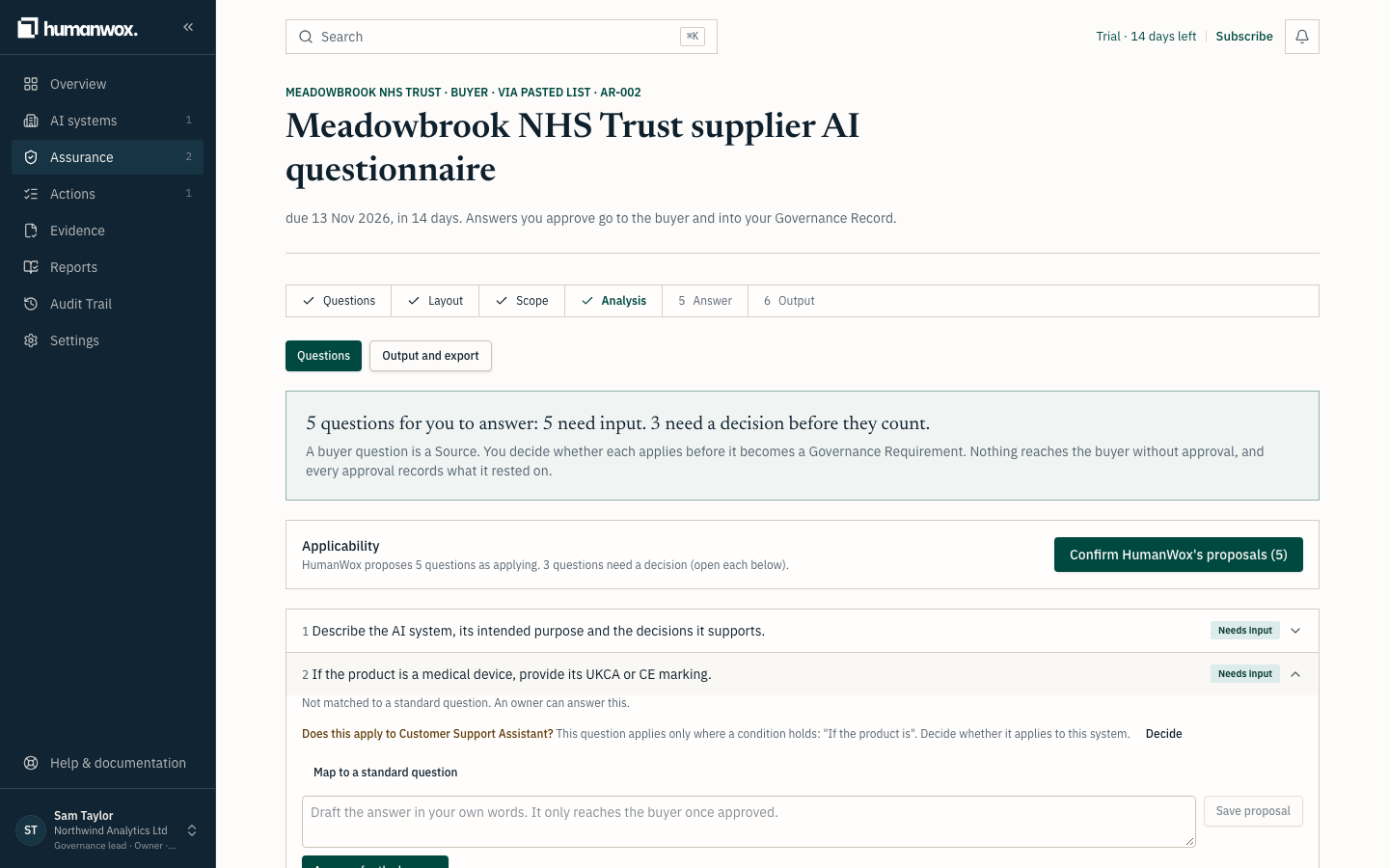
Decide whether it applies
Select Decide, then Applies or Does not apply.
You see a box to record your reason.
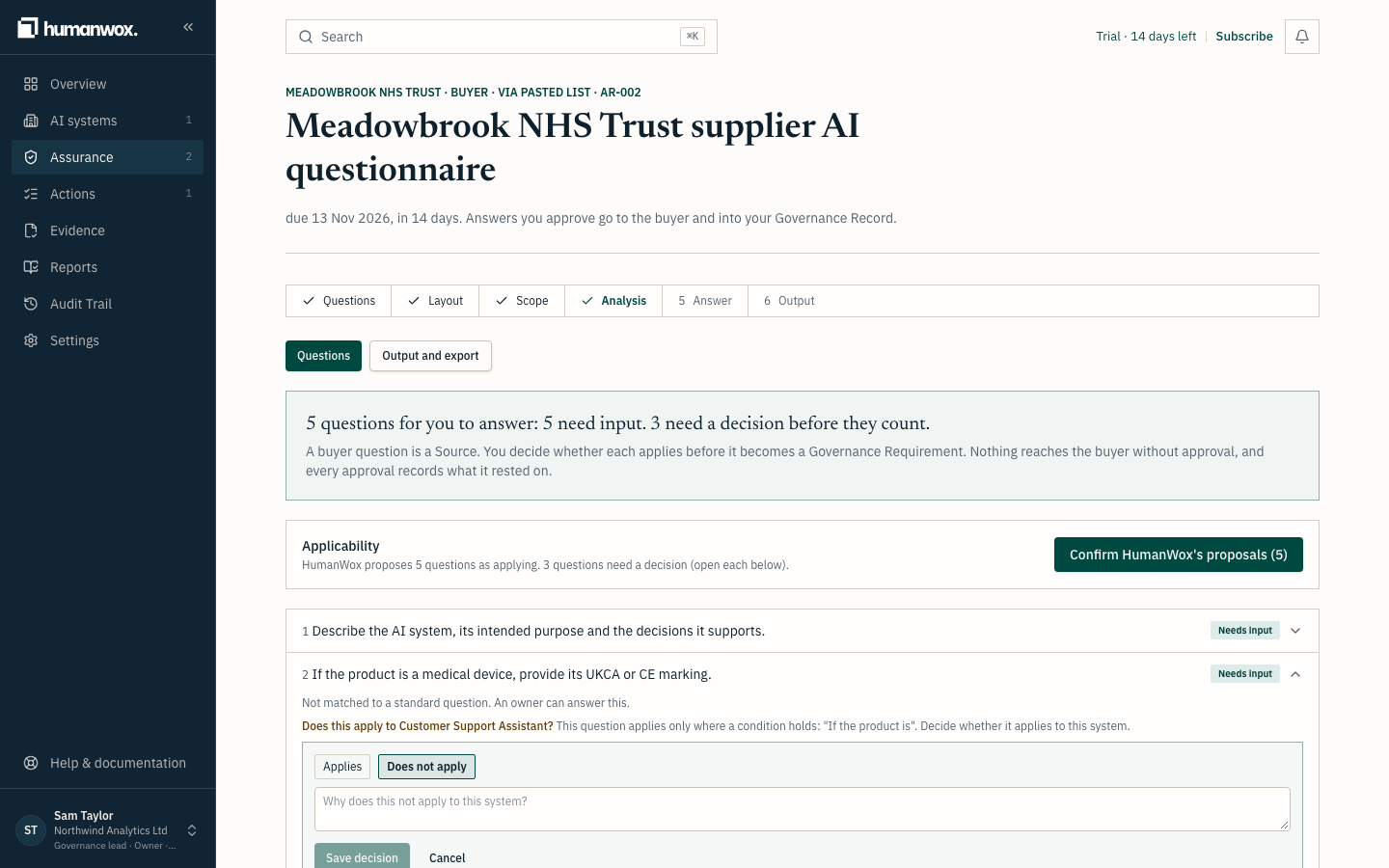
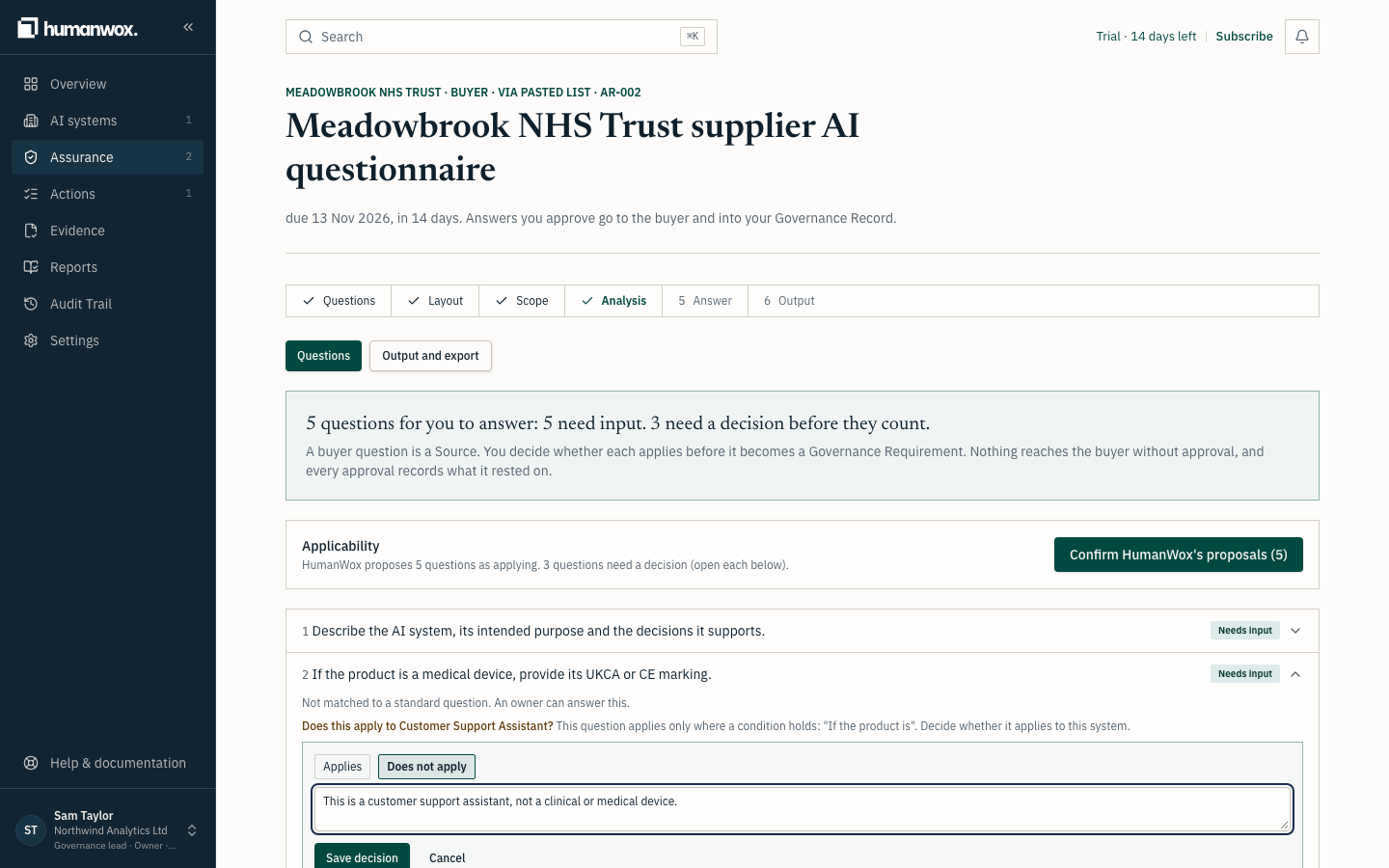
Give the reason
Write why it does, or does not, apply, then select Save decision.
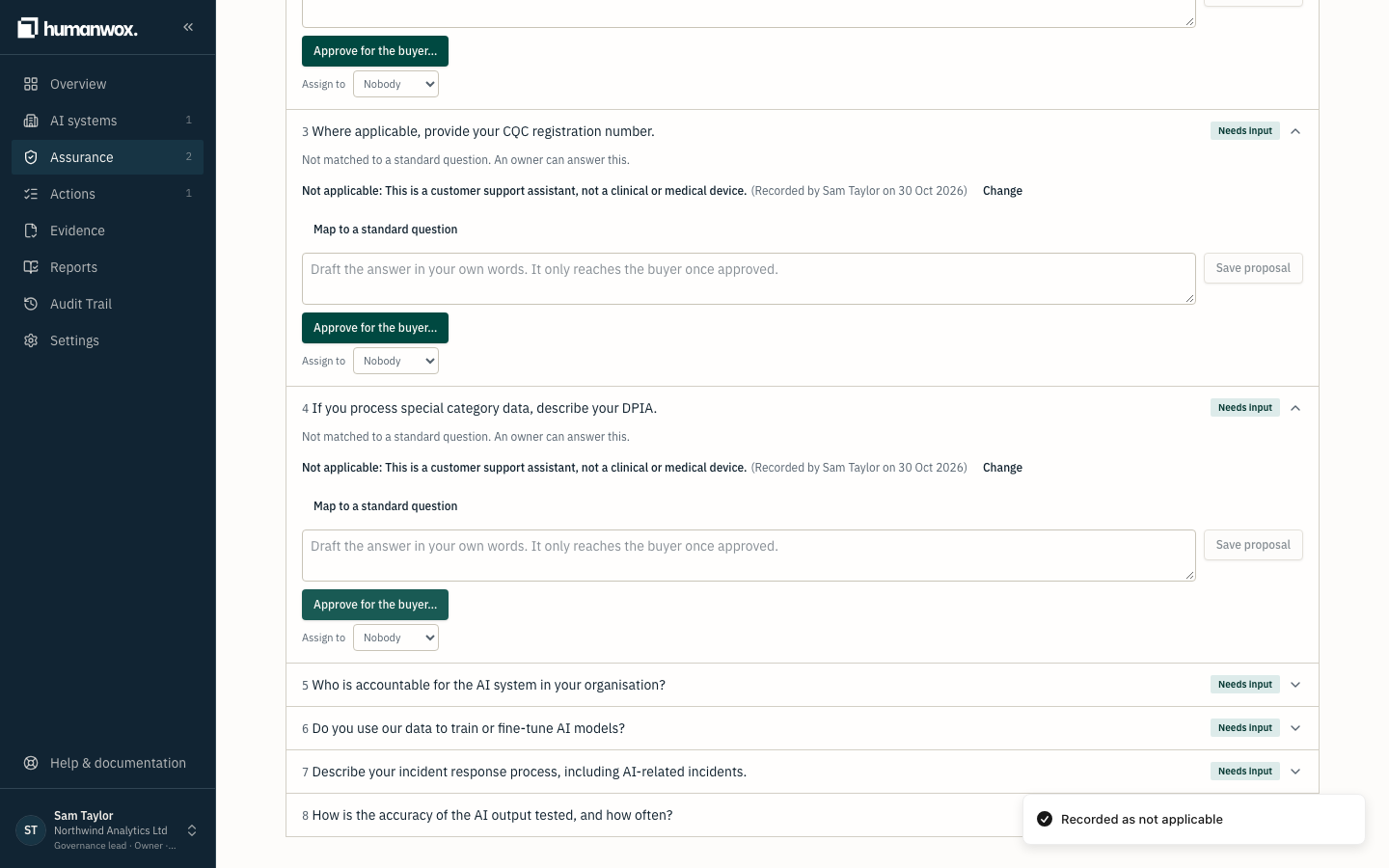
You see the question read Not applicable: followed by your reason (or Applies: followed by your reason), with who decided and when.
In the record the question carries your applicability decision, attributed to you and dated. A Does not apply question now counts as complete, not as a gap, and will export as Not applicable: followed by the reason. For a matched question, the decision also creates or links a Governance Requirement.
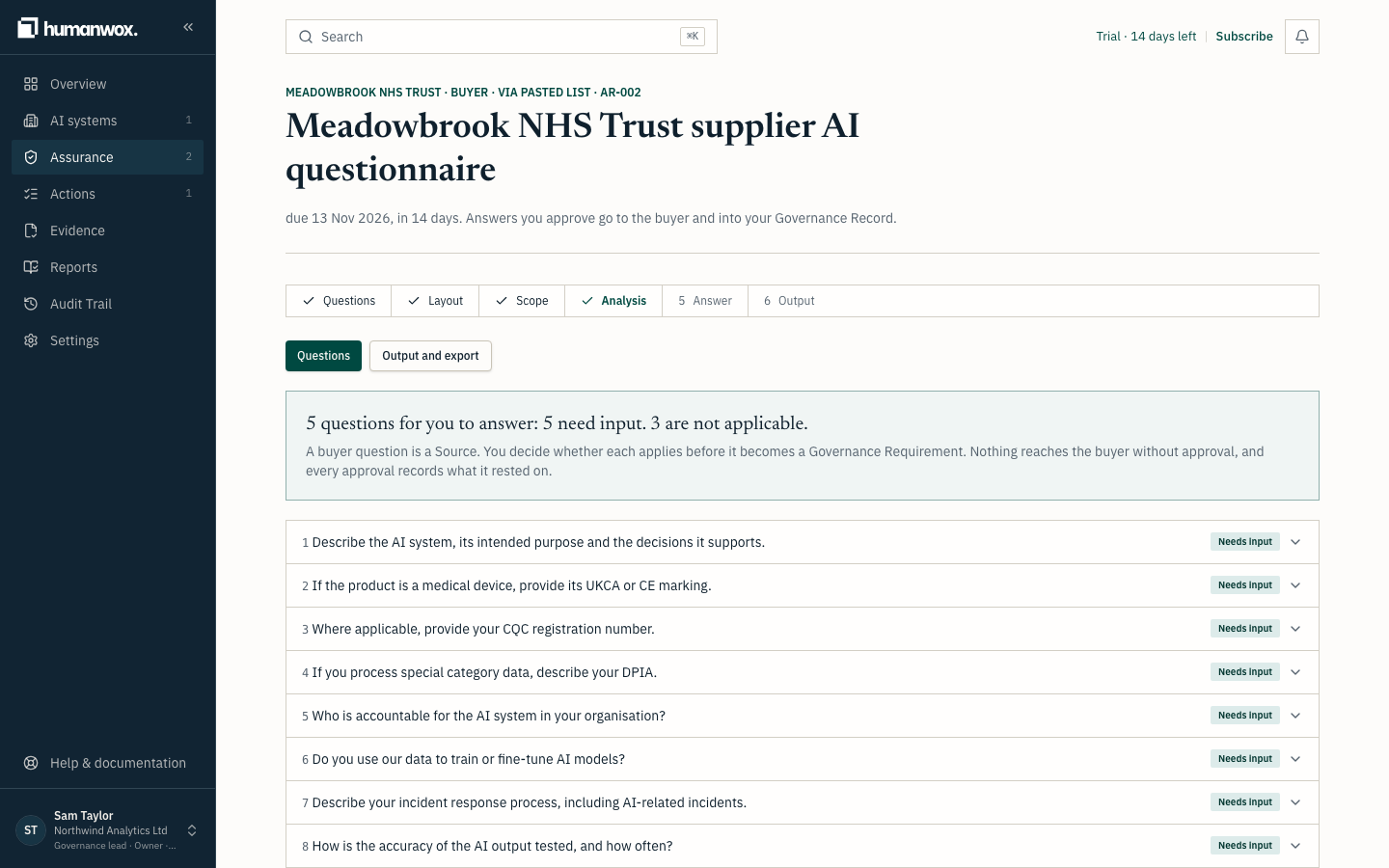
Confirm HumanWox's proposals for the rest
Where HumanWox proposes that questions apply, select Confirm HumanWox's proposals (N) to accept them together, rather than opening each one.
In the record each confirmed question is recorded as applying, attributed to you and dated, ready for an answer.
Who can decide
- A Governance Lead can decide any question.
- The Accountable person for the AI system the questionnaire covers can decide that system's questions.
- Organisation-level questions need a Governance Lead.
Note
A buyer's question does not become an Obligation because you answer it. Deciding that a question applies records it as a Governance Requirement to address; whether it carries obligatory force is a separate judgement.
Why it works this way
You decide what applies before anything is counted. A question that does not apply to your AI system should never look like a gap, and the reason you give is kept with the decision, so the buyer can see it.
If something looks different
- A question you expected to apply shows "Needs a decision". It is conditional, so it is waiting for your decision. Decide it as above.
- "Confirm HumanWox's proposals" is not shown. There are no open proposals left to confirm.
- You cannot decide a question. You are not a Governance Lead, and not the Accountable person for this system. Ask one of them, or see Manage your organisation profile, team and security.
Related guides
Answer your first buyer questionnaire
Bring in a buyer's questions, check they were all found, choose what they cover, analyse them against your record, and read what each status means.
Approve answers and export a buyer questionnaire
Draft an answer from the record, approve it for the buyer, and export the questionnaire as a verifiable file.